Loading
New app: Lichen
Abstract
Please introduce the functions and usage of your app in summary, and also attach some screenshots.
Lichen is a decentralized, end-to-end encrypted messenger. There are no accounts, phone numbers or emails: each device makes its own keys, and your public key is your identity. You connect to a "hub" (a self-hostable open-source node), add people by QR code or key, and chat one-to-one or in groups, including sending files. Messages from strangers wait in a Requests tab. Several profiles can live on one phone, and an identity can be moved between the Android app and the desktop/terminal client.
Source: https://github.com/LegoManACM/Lichen (Apache-2.0; the Android app is in android/, next to the Python node and hub).
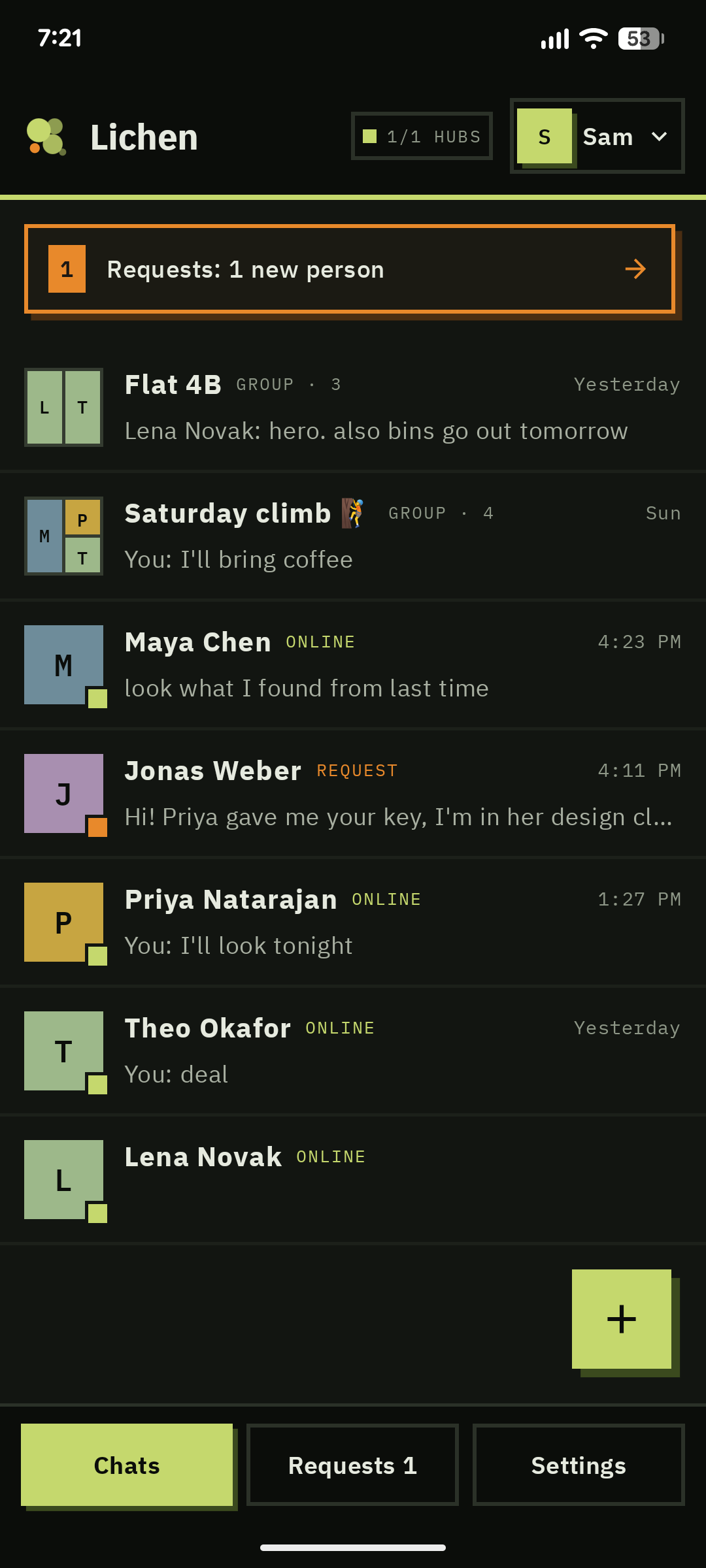
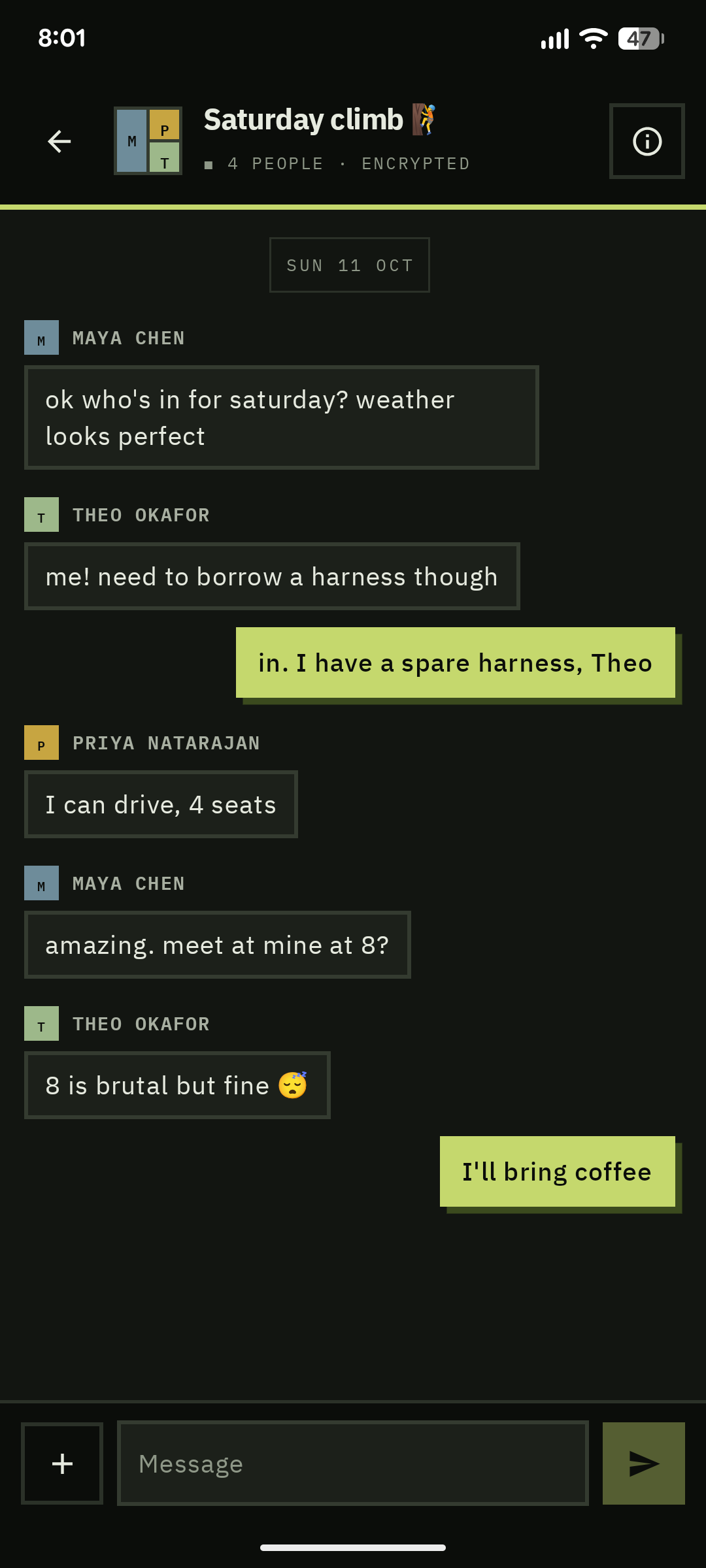
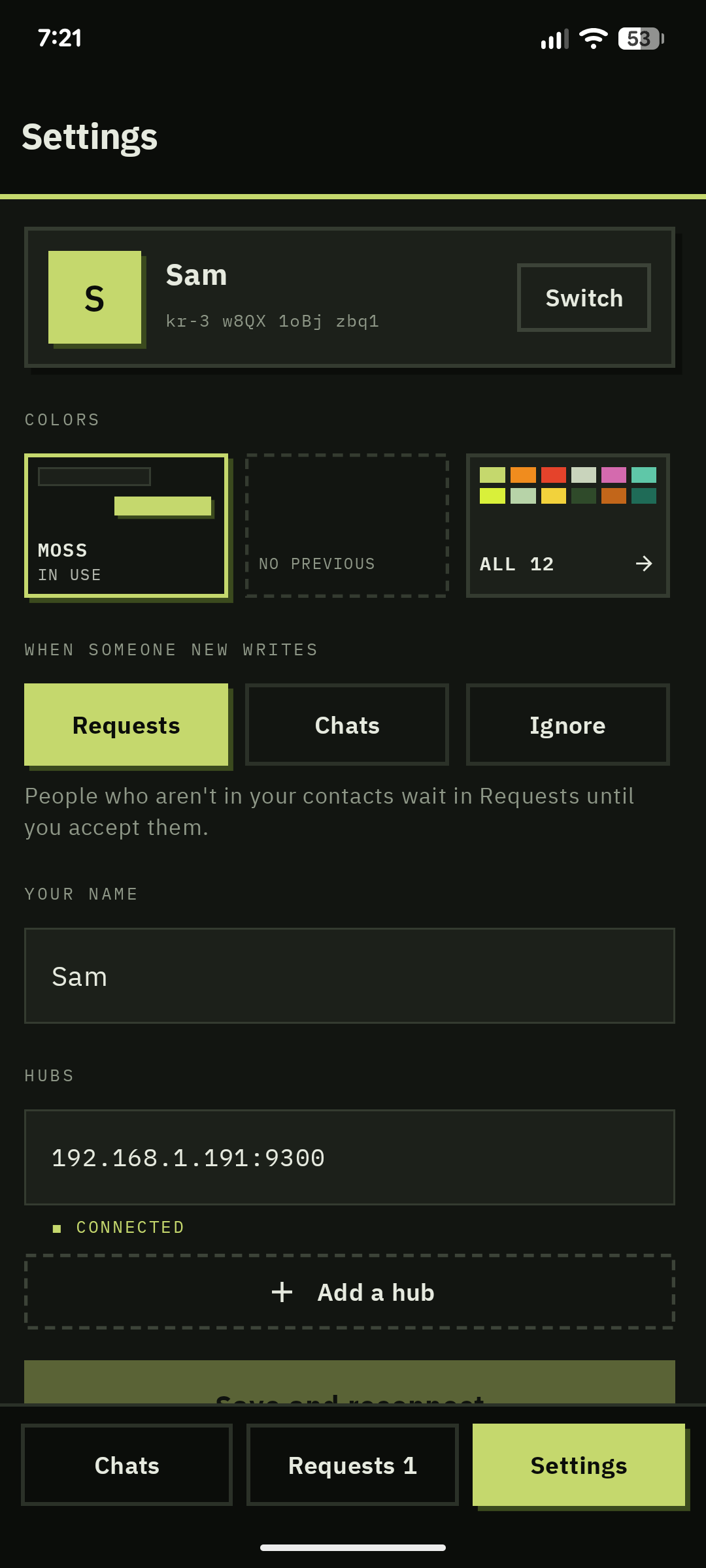
Please elaborate why you wrote this app. Please highlight the unique functions it provides over other similar apps in F-Droid.
I wanted a chat that works like a phonebook anyone can carry: signed contact records that peers gossip to each other, so there's no central server that knows who you are or holds your messages.
- Hubs are just nodes at a public address. They introduce peers so they can connect directly (UDP hole punching), and relay for those who can't. When someone is offline the hub keeps only an IOU (who owes whom a message), not the message or even its ciphertext; the sender's device holds it until delivery.
- Anyone can run a hub (
pip install lichen-chat), and hubs federate by pointing at each other. - The same protocol and identity work on Android and in a desktop terminal client.
- No Google services, push providers, trackers or analytics. To receive messages while closed it keeps a connection to your hub in a foreground service.
It's an early prototype and the protocol may still change.
On AI use: most of the code was written with Claude Code. I direct the design and features, and the project has automated tests (Kotlin unit tests plus integration tests against the Python node). I have not read every individual line of code, however I have end-to-end tested all features on real devices and networks.
Checklist
Policy
- The app complies with the inclusion criteria.
- The original app author has been notified (and does not oppose the inclusion). If you are not the author, please paste the link of the reply from the author.
- The upstream app source code repo contains the app metadata in a Fastlane or Triple-T folder structure. The summary and description must be included and images, icon, and changelog should also be provided for better user experience. The
en-USlocale must be included.
Docs
- Please read the guide first if this is your first contribution.
- Please make sure your metadata follows the best practice in our templates.
- Please read the Build Metadata Reference and make sure your metadata is valid.
- Please read the Quick Start Guide.
Merge Request Setup
- The title of this merge request should follow "New app: app name" format.
- Please make sure your fdroiddata fork is public and your branch is not protected. See https://docs.gitlab.com/user/project/repository/branches/protected/.
- Please read our Git guide if you don't know how to rebase your branch. Don't rebase your branch if there is no conflict.
- All related fdroiddata and RFP issues have been referenced in this merge request (there are none for this app)
- Please only submit one app in one MR.
Metadata
- Metadata must be put in
metadata/<applicationId>.yml. - Metadata must be a valid YAML file.
- Metadata must use LF as line ending.
- Don't add summary/description/changelog/images or anything that should be provided in upstream repo. Please check the Changes tab to make sure there is no other unrelated files added in the MR.
- Releases are tagged and auto update is enabled unless there is a special reason.
- There is an issue tracker and contact info of the author so that we can report bugs and contact the author.
- An AuthorName must be added. It doesn't need to be the real name.
- External repos are added as git submodules instead of srclibs. You can update git submodules without opening an MR in this repo and the submodule is covered by our scanner.
- Enable Reproducible Builds. We'll use your signature for improved security/reliability, also allowing users to switch between different channels. Do note that if you don't enable reproducible build then the apk will be signed with our key so you can't enable it later. If you can't enable this, please add the reasons here.
- Setup abi split if the APK is large and the splitted ones can be much smaller.
- Only the latest versions should be kept in the metadata before it's merged. If you update the metadata, please replace the old versions with the new ones.
- Don't add any disabled versions in the metadata.
- The
commitfield should be the full hash. Please don't use tag or branch in commit.
Pipeline
- All pipelines should pass.
- All warnings and errors in the Reports tab should be fixed or explained.
- F-Droid CI runners are under GitLab's FOSS program, so there's no need for you to pay for any CI time. If Gitlab starts asking for phone numbers or credit cards don't submit anything, just leave a note in the MR so we know we need to trigger the CI.
Note: GitLab is asking me to verify my account (phone/credit card) before pipelines can run on my fork, so the pipeline failed without running. Could you please trigger the CI? Also, I successfully ran a local fdroid build in a docker container. Thanks!