Graph Naming locations: Possible conflict
Created by: digitalelements
There are 3 possible locations to name a graph. Standard Save and Save as dialog.
The left panel location for Graph Name and Right Click to rename a graph in the user data panel.
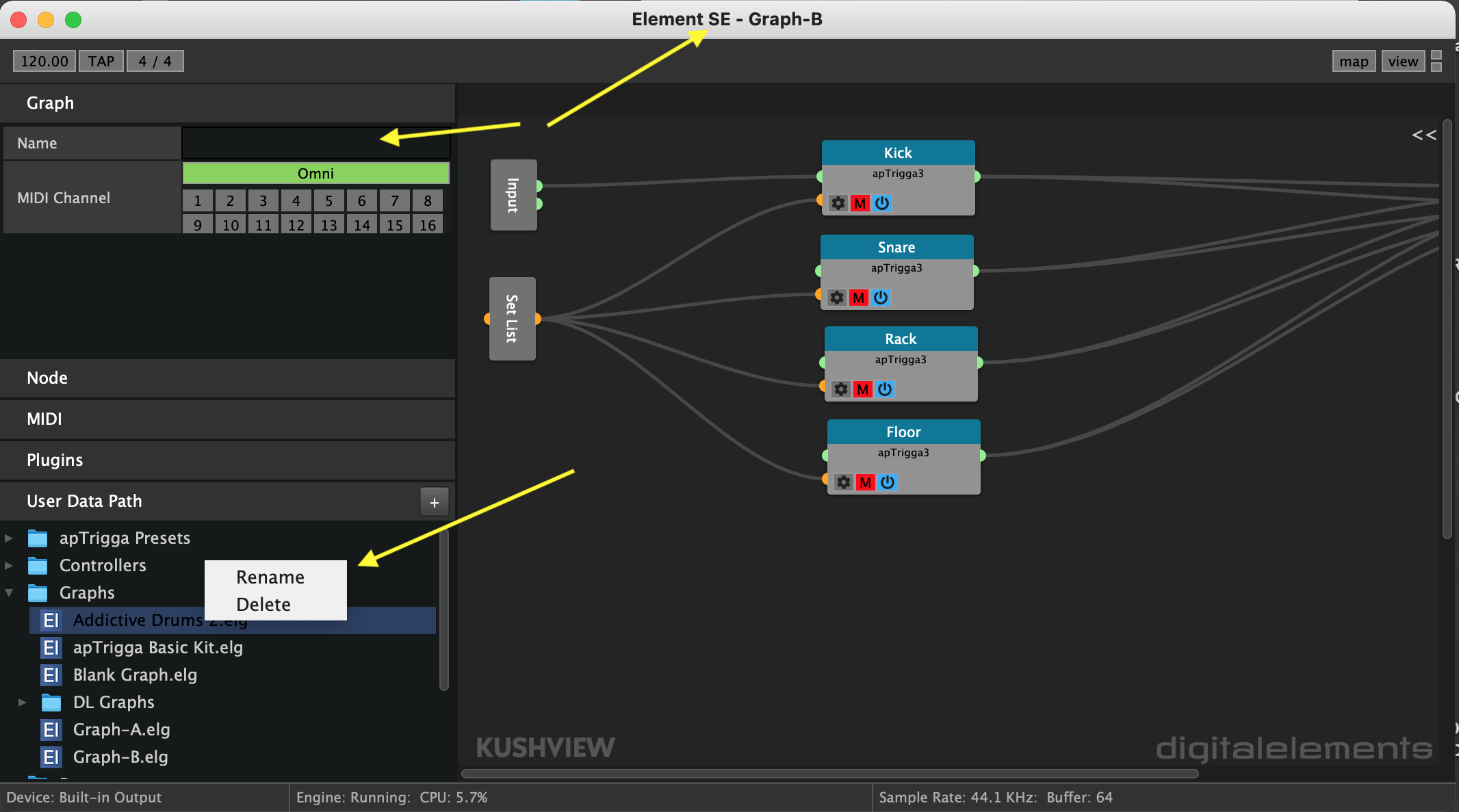
renaming a graph using the left panel location will override the file name shown at the top of the app window. This could cause an issue if you needed to save settings for the currently loaded graph.
renaming a graph using the right click rename in the user data panel will rename the currently loaded/active graph. but not update/sync the new name.
I think the safest idea would be to populate the left panel graph name location with only the file name from the main file naming dialog. also, disable user entry of naming in this location to avoid out of sync file names.
disabling renaming of graphs in the user data right click dialog would also help to avoid the issue.